
Muslim prayer time apps shopping requires knowing your choices. Maintaining your daily salah routines while living in western countries can feel challenging. Finding the right digital tool helps you stay connected to your faith anywhere. This honest guide reviews the absolute top-rated options available for quick installation. We analyze actual features, system compatibilities, data privacy settings, and user feedback. Let us find your perfect fit immediately.
Reviewing the best muslim prayer time apps helps you maintain your daily salah while living in western countries. Explore our detailed breakdown of the most popular regional cuts available today.
Top 4 Muslim Prayer Time Apps Reviewed
Muslim Pro
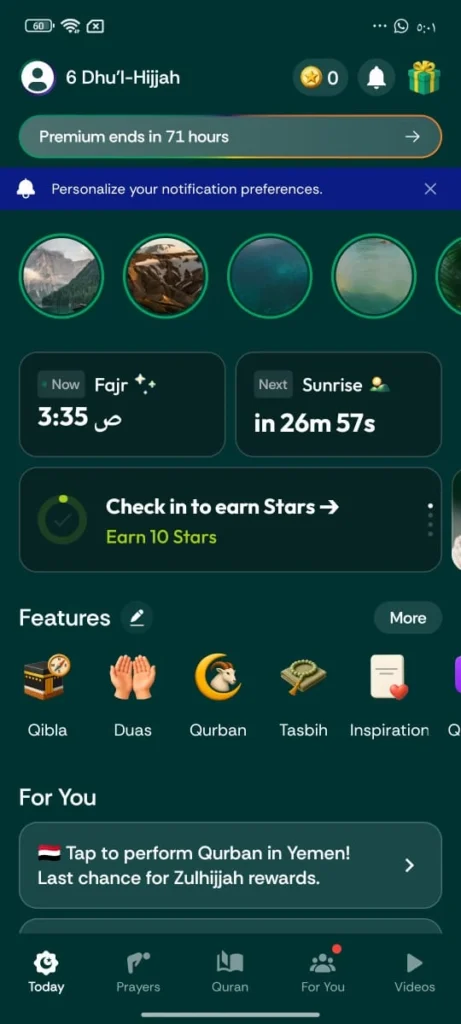
- Muslim Pro Free Download: [Get it for iOS] | [Get it for Android]
This widely recognized platform stands as one of the most reliable muslim prayer time apps globally. It offers a massive suite of features that transform your smartphone into a complete digital Islamic hub. The core engine calculates global prayer times and sends automated azan alerts based on your live location data.
Beyond simple time tracking, it includes a digital Qibla finder, a comprehensive Quran reader with global translations, and a handy zakat calculator. It also features Qalbox, a dedicated family streaming service for movies and documentaries, alongside Ask AiDeen, an interactive AI chatbot that answers foundational questions using verified texts.
- Pros:
- Massive, feature-rich ecosystem covering almost all daily religious needs.
- Highly dependable global offline tracking for core calculations.
- Premium widgets offer fast visual scans from your home screen.
- Cons:
- The free version contains heavy visual ad placements.
- Requires a paid subscription tier to unlock ad-free features and advanced learning tools.
- Who it is for: Ideal for users wanting a single, all-in-one super app that covers everything from prayer tracking to educational media.
- Who it is NOT for: Not suitable for minimalist purists who dislike heavy ad banners or complex interfaces.
Can I download Quran recitations for offline use? Yes, the premium tier allows full offline downloads from world-renowned reciters.
Athan
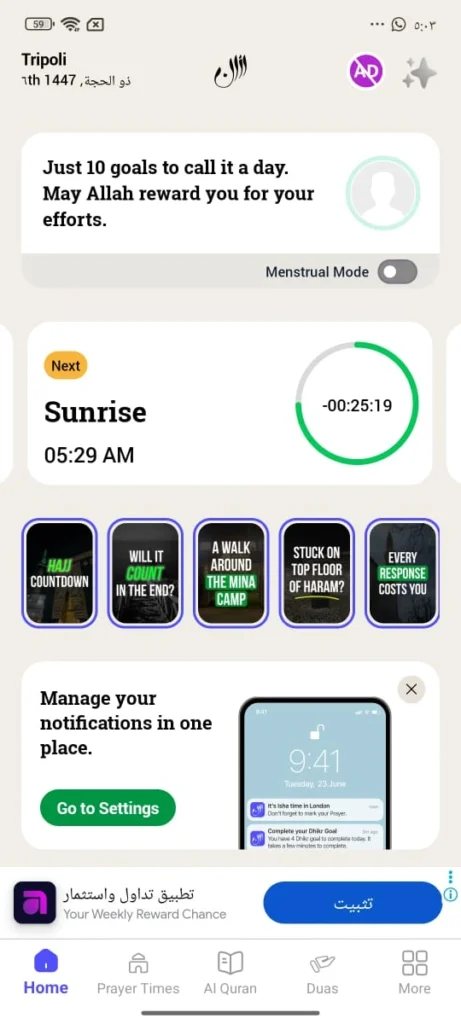
- Athan Free Download: [Get it for iOS] | [Get it for Android]
Developed by the reputable team at IslamicFinder, this platform focuses heavily on spiritual self-improvement among top muslim prayer time apps. It utilizes an engaging lifestyle dashboard that encourages you to build consistent daily worship habits. The updated user interface features a clean look that helps you navigate without unnecessary visual clutter.
Its standout feature is the unique Sawab Goals system, which lets you log your progress across daily prayers, track tasbih or zikr counts, and review personal performance logs. The updated Quran section includes a smart “Continue Recitation” tool that saves your place down to the exact surah and ayah instantly.
- Pros:
- Excellent gamified daily task manager that motivates consistent worship habits.
- Highly accurate regional IslamicFinder calendar integration.
- Personalized notification system sends tailored spiritual reminders.
- Cons:
- Premium features require an active paid subscription plan.
- Some secondary tools require a stable internet connection to refresh logs.
- Who it is for: Perfect for anyone wanting an organized, data-driven way to track their daily prayers and build consistent أذكار habits.
- Who it is NOT for: Not for individuals seeking a completely bare-bones utility app without progress logging.
Does the built-in tasbih counter save my daily history? Yes, it logs your daily numbers directly into your personal goals dashboard.
Pillars
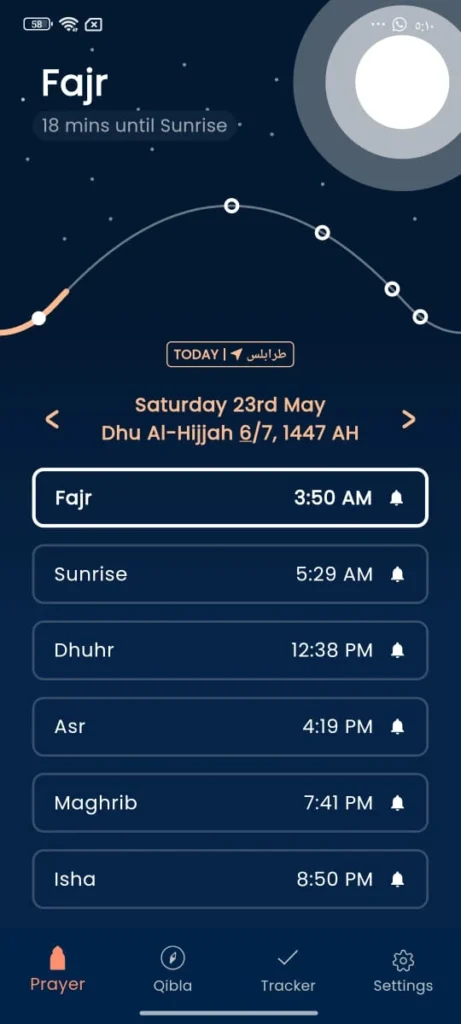
- Pillars Free Download: [Get it for iOS] | [Get it for Android]
Built entirely by a dedicated team of Muslim developers, this platform treats your personal data as a sacred amaanah (trust). When exploring privacy-focused muslim prayer time apps, this tool stands out by protecting your digital privacy while offering an elegant, distraction-free environment. All location parameters are processed entirely on your local phone storage and never enter external servers.
The application contains absolutely zero ad banners or spam pop-ups. It features a stunning, clean aesthetic that alternates seamlessly between dedicated Day View and Night View color schemes. It focuses purely on core prayer utilities and offers simple home screen widgets for fast time checking.
- Pros:
- Completely free with absolutely no annoying ad banners or pop-up spam.
- Industry-leading privacy standards where location data never leaves your device.
- Official Apple Watch app integration supports live complications and on-the-go tracking.
- Cons:
- Does not contain a built-in Quran reader or detailed library resources.
- Advanced custom time adjustments are still being slowly rolled out.
- Who it is for: Perfect for privacy-conscious Muslims who want a clean, minimalist, ad-free tool solely for prayer tracking.
- Who it is NOT for: Not ideal for users looking for comprehensive multi-purpose apps with media libraries or AI chatbots.
Why is there no Quran feature available? The founders intentionally omit this to maintain minimalism, recommending dedicated partners like Tarteel.AI instead.
Athan Pro
- Athan Pro Free Download: [Get it for iOS] | [Get it for Android]
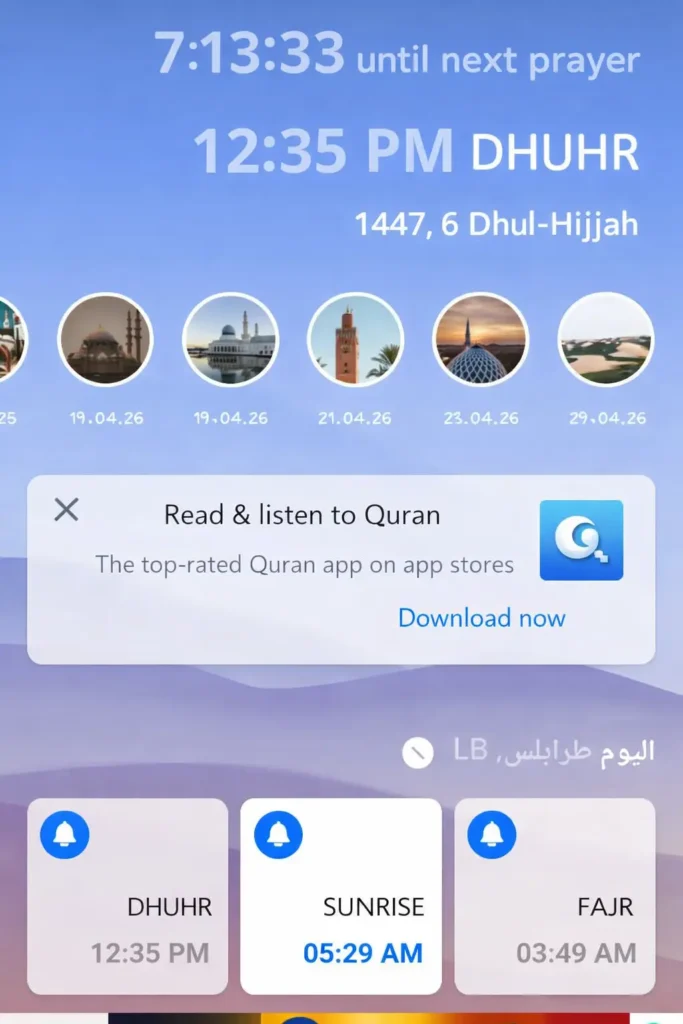
Created by Quanticapps, this software delivers one of the most visually stunning layouts in the mobile ecosystem for modern muslim prayer time apps. It features premium custom themes, high-contrast wallpapers, and beautifully rendered daily dashboard displays. It is optimized to work smoothly on both standard mobile phones and larger iPad tablet displays.
A unique aspect of this platform is its community interaction forum, which connects users globally through moderated discussion circles. It also includes a specialized dashboard tailored for the upcoming Holy Month, providing easy access to necessary fasting times and supplication calendars.
- Pros:
- Exceptional aesthetic design with highly customizable visual themes.
- Safe, carefully monitored community forums that emphasize trust and authenticity.
- Provides excellent, highly personalized home screen widget sizing options.
- Cons:
- The free model relies on ad revenue, which can disrupt the sleek interface design.
- Advanced features are locked behind a moderate premium monthly subscription.
- Who it is for: Wonderful for users who appreciate premium visual design, custom mobile themes, and global community message boards.
- Who it is NOT for: Not suited for those who prioritize a lightweight, basic utility that uses minimal phone memory.
Are the community discussion boards safe for kids? Yes, a dedicated moderation team monitors all public user posts to ensure safety.
Ultimate Comparison of the Best muslim prayer time Apps
| App Name | OS Support | Ad Presence | Cost System | Constant Internet Needed? | Widget Support |
|---|---|---|---|---|---|
| Muslim Pro | iOS, Android, PC (Web) | Yes (Free Version) | Free / Premium Sub ($$) | No (Offline Qibla & Core Times) | Yes (Android & iOS) |
| Athan | iOS, Android, PC (Web) | Yes (Free Version) | Free / Premium Sub ($) | No (Core Times Work Offline) | Yes (Android & iOS) |
| Pillars | iOS, Android, Apple Watch | No Ads (100% Clean) | Free / Supporter Tier ($) | No (Core Times Work Offline) | Yes (Android & iOS) |
| Athan Pro | iOS, Android, iPad | Yes (Free Version) | Free / Premium Sub ($$) | No (Core Times Work Offline) | Yes (Android & iOS) |
Key Sifting Factors Before Your Free Download
GPS Calibration and Accurate Azan Namaz Timings
Mobile software calculates your daily timetable using two critical points: your raw GPS parameters and your preferred mathematical calculation method. If you notice minor time discrepancies compared to your local community schedule in various muslim prayer time apps, check your calculation methodology immediately. Most reliable apps let you choose regional standards like ISNA for North America or the Muslim World League. If your exact local mosque schedule differs slightly, look for a settings menu that allows custom time adjustments by a few minutes.
Hardware performance differences can also cause missed alarms. On Android platforms, aggressive internal battery-saving settings frequently close software operating in the background, causing delayed alerts or missed notifications. To fix this, manually exclude your chosen tool from the system battery optimization list. For Apple iPhone devices, the operating system limits all standard background notification sounds to a short audio loop. Because of this restriction, you will often hear only the initial portion of the audio alert.
If your compass points in an unusual direction, environmental factors are usually the primary cause. Metal smartphone cases, magnetic accessories, and large household objects cause heavy electronic interference that disrupts your phone’s native internal compass. To resolve this, remove all cases and attachments completely. Then, execute a “figure-of-eight” motion in the air to recalibrate your internal compass before rechecking your heading.
Mobile Convenience and Prayer Time Widget Android Support
Home screen widgets allow you to check schedules at a glance without launching the full application. If you travel across different cities, widgets can occasionally experience brief refresh delays while updating to your new physical location. Closing the application completely from your background cache and relaunching it manually forces an instant update across your home screen layout.
You might also notice minor differences in individual calculation metrics. For instance, after completing your late evening prayer, a widget may show a slightly different morning time at the top compared to the bottom. This occurs because the top display calculates the next calendar day’s schedule automatically, while the bottom display reflects the current date. Similarly, the lunar Islamic calendar can vary by a day or two due to regional moon sightings. Reliable muslim prayer time apps plan to introduce manual calendar adjustments to sync your dates perfectly with your local community.
Smart Alternates: Phone Notifications vs. Physical Azan Clocks
While mobile applications offer unmatched portability when you are traveling, managing constant phone alerts can sometimes pull your attention away during peaceful moments at home. Smartphone notifications often bring tempting digital distractions, like social media alerts, emails, and news pop-ups that break your focus right before you begin your worship.
For a more centered home environment, investing in a dedicated physical device is an excellent solution. Setting up a permanent best azan clock for home ensures your family hears clear alerts across every room without relying on a screen. Placing this clock inside a dedicated quiet zone, such as an islamic prayer room designs decor space, helps separate your worship routine from daily digital stress.
Conclusion
Selecting the best mobile tool depends entirely on your lifestyle goals. If you want an expansive digital environment with an embedded media streaming library, Muslim Pro remains a highly functional option. If your goal is building consistent daily worship habits through digital logging, Athan offers excellent features. For those who want complete data privacy and an ad-free interface, Pillars provides superb minimalist execution. Match the application features to your personal daily routine.
If you enjoyed this helpful breakdown, you can explore our other expert guides to upgrade your home setup or find meaningful items:
- Find a highly meaningful token of appreciation by browsing our best unique islamic gifts guide.
- Track your daily أذكار effortlessly with our hands-on review of the best zikr ring jood flex lite.
- Discover premium presentation tools for your daily reading by checking out the best quran stands roundup.
- Explore accurate translations of the holy text by reviewing our quran in english and arabic comparison.
- Discover high-quality comfort options by checking out the best muslim prayer mats guide.
Frequently Asked Questions
Pillars is completely free and has absolutely no ad banners or spam pop-ups. The developers intentionally keep the interface 100% clean to respect your worship environment.
This happens due to different calculation methodologies or GPS calibration methods. You can easily fix this by selecting your local region’s standard (like ISNA or Muslim World League) in the settings menu.
Yes, most top applications use your phone’s native internal compass hardware to find the Qibla direction, meaning it works perfectly fine even without mobile data.
You must manually go into your phone’s main system settings, find battery optimization, and exclude your prayer app from the optimization list to prevent the system from killing background alerts.

My name is Mehran AlMustafa. I write product reviews and recommendations focusing on tech products, modest fashion, gifts, and home decor that align with Islamic values. My work also focuses on Islamic lifestyle products and essential daily necessities for Muslim users.
My work draws on my academic background, practical experience in marketing, and systematic research based on product specifications, market demand, and actual user feedback.
I evaluate products based on quality, ease of use, practicality, and how well they meet users’ needs.